Build your FTP.
One block at a time.
Structured indoor cycling training built around your FTP — functional threshold power — your experience, and the time you actually have.
Free to download. No subscription required.


Four steps to a plan
built around your life.
Tell Ride Blocks your FTP, your experience level, how many days a week you can train, and how much time you have each session. It builds a structured plan around those constraints.
Set your FTP
Enter your FTP, or use the built-in test to estimate it.
Choose your days
Pick how many days a week you can realistically train — 2 to 6. Beginner plans are capped at 4.
Choose your time
Set how long each session can be, from 30 to 120 minutes.
Get your plan
A periodized 6- or 8-week plan appears — ready to ride.
Every workout has a purpose.
Rides are built from deliberate blocks — not random effort. Warm up, build through a target zone, recover, repeat. Don’t want to follow the plan today? Generate a single varied workout instead — same structure, built around your FTP and the time you have.
Miss a ride. Not your goal.
Real schedules change. When you miss training, Ride Blocks offers to adapt the plan instead of just pushing everything a day later — you tell it why you missed the sessions and how ready you feel to return, then apply the adjustment.
Open Handle Missed Days and Ride Blocks proposes one of three actions — Continue Without Changes, Adapt This Week, or Rebuild Remaining Plan — based on what you missed and how you’re feeling. Adapting the week reschedules key work and drops lower-priority sessions while respecting recovery spacing and training-load limits. If you’re already in a taper, rebuilding preserves it.
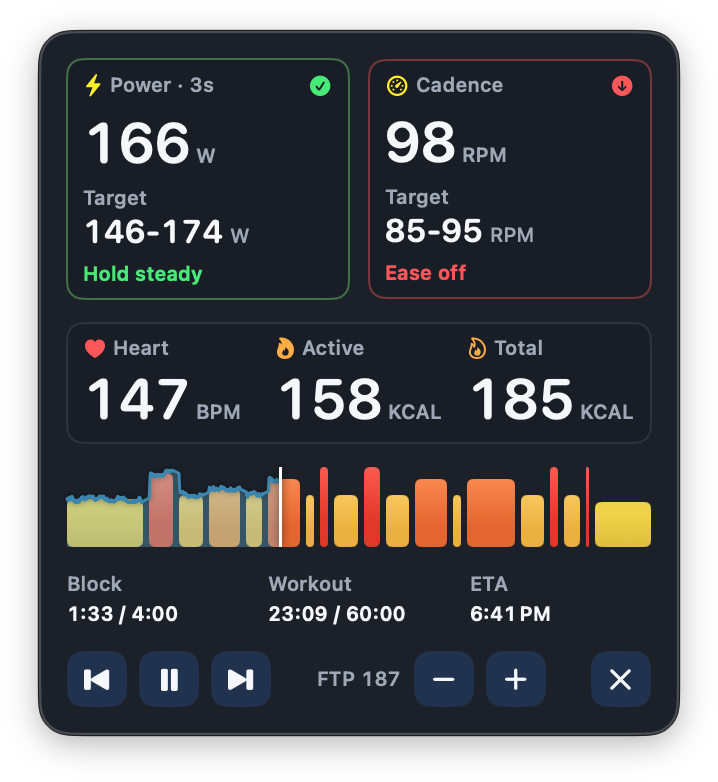
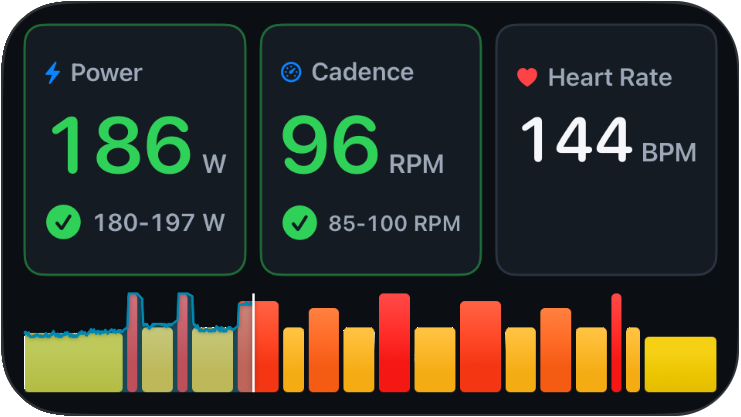
Your workout stays visible.
Your entertainment stays on.
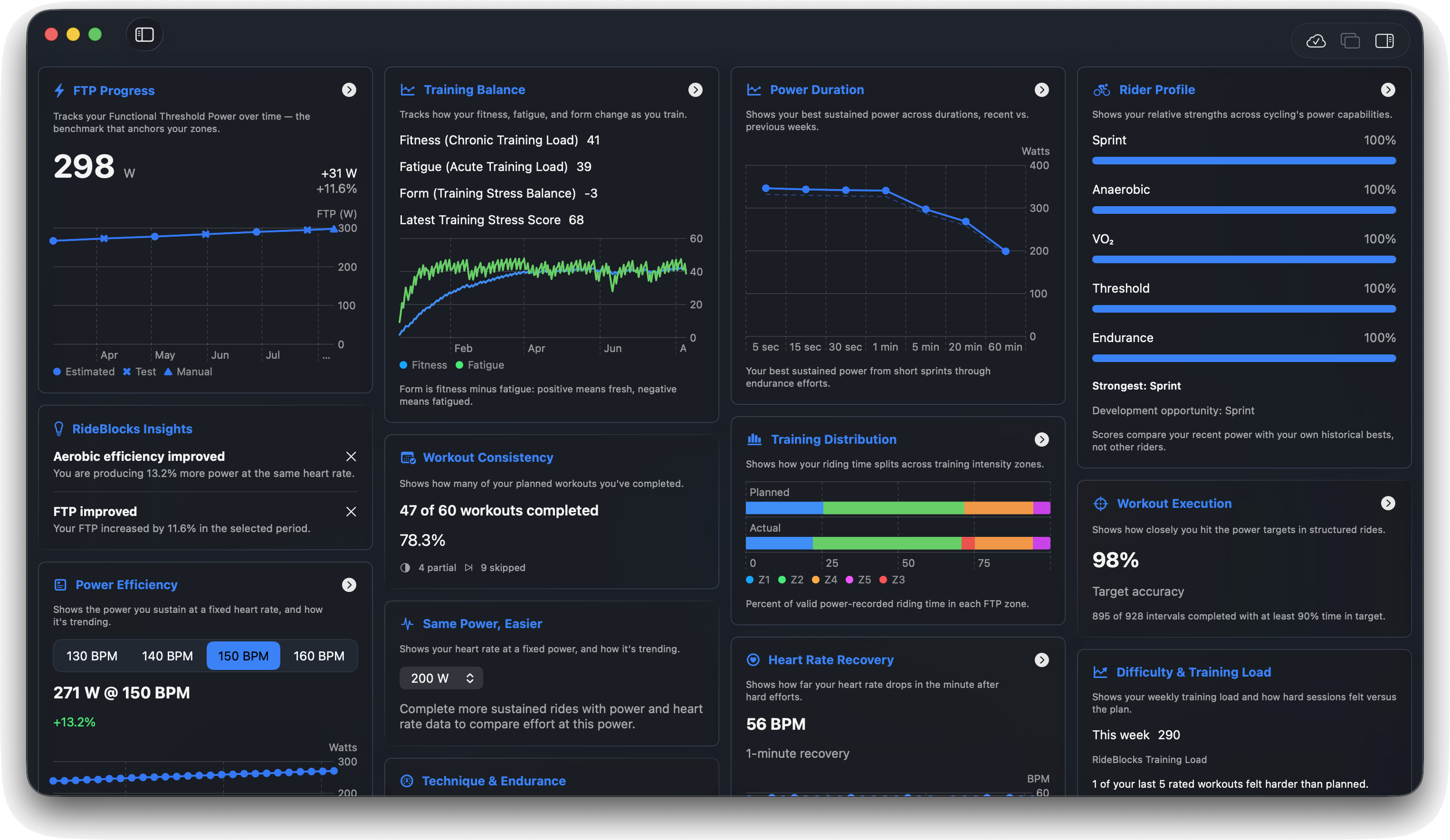
Watch your fitness build.
Track changes in your FTP alongside a full set of ride analytics — power-duration curves, time in zones, and training load over time.
Built for structured training.
Flexible Scheduling
Train 2 to 6 days a week, 30 to 120 minutes a session.
Built-in FTP Test
Estimate your FTP in the app if you don’t already know it.
Apple Watch Companion
Mirrors the workout running on your iPhone and supplies heart rate.
Quick Workout Generator
Skip the plan and generate a varied, FTP-based workout whenever you want to ride.
What you need.
Ride Blocks is an indoor training app that reads your sensors. It does not control trainer resistance and has no ERG mode.
A power source
A smart trainer or power meter broadcasting Bluetooth Cycling Power is required to start a ride. A heart-rate monitor is optional. Cadence comes from your trainer or power meter when it reports it.
Or no equipment at all
Turn on demo sensors to connect a simulated power source and try a full workout before you buy anything.
Supported sensors
Standard Bluetooth Cycling Power and Heart Rate sensors. On Mac, ANT+ power meters and heart-rate monitors through a Garmin ANT USB2 or ANT USB-m receiver. Standalone speed and cadence sensors are not supported.
Requirements
macOS 14, iOS and iPadOS 17, watchOS 10. The Apple Watch app is a companion to a paired iPhone, not a standalone cycling computer.
Plan inputs
2 to 6 training days a week (4 for beginners), 30 to 120 minutes a session, and a 6- or 8-week block.
Your data
Everything stays on your device unless you turn on iCloud Sync, which uses your own private iCloud account. Read the privacy policy.
 Availability
Ready to get faster?
Build a training plan around the time you actually have.
Ride Blocks isn’t on the App Store yet. It will be free to download, with no subscription required.
Frequently asked questions.
What is Ride Blocks?
Ride Blocks is an indoor cycling training app that builds structured, periodized plans around your FTP — functional threshold power — your experience, and the time you have to train.
Is Ride Blocks free?
Yes — Ride Blocks is free to download, with no subscription required.
How does Ride Blocks create a training plan?
You provide your FTP, your experience level, how many days a week you can train (2 to 6), and how much time you have per session (30 to 120 minutes). Ride Blocks generates a periodized 6- or 8-week plan with progressive overload and built-in recovery weeks.
Do I need to know my FTP?
No — Ride Blocks includes a built-in test that estimates your FTP if you don't already know it.
What happens if I miss a workout?
Open Handle Missed Days, tell Ride Blocks why you missed the training and how ready you feel to return, and it offers an adjustment you apply yourself: Continue Without Changes, Adapt This Week, or Rebuild Remaining Plan. Recovery spacing and training-load limits are respected.
What is Overlay Mode on Mac?
A floating window that shows your live power, cadence, heart rate, and interval timeline on top of whatever else you're watching.
How does Picture in Picture work?
Ride Blocks can display your workout info in the system Picture in Picture window while another app or video is in the foreground, on iPhone and iPad. If a device or app doesn’t support Picture in Picture, Ride Blocks tells you.
Can I watch videos while training?
Overlay Mode on Mac and Picture in Picture on iPhone and iPad keep your training visible without taking over the whole screen. Behaviour depends on the video app you’re using — some restrict playback while another app is on screen.
Do I need a smart trainer or power meter?
To start a real ride, yes — a connected power source is required. Heart-rate monitors are optional, and cadence comes from your trainer or power meter when it reports it. You can also turn on demo sensors to try a full workout with no equipment.
Does Ride Blocks control my trainer?
No. Ride Blocks reads your sensors and shows the targets to ride; it does not set trainer resistance and has no ERG mode.
Is Ride Blocks suitable for beginners?
Yes. Plans adjust to your experience level, and beginner plans are capped at four training days a week.